Creating Patient and Patient Observations by using iris-fhir-client application
Hi Community,
This article will demonstrate how to create Patient and Patient Observation Resources by using iris-fhir-client application.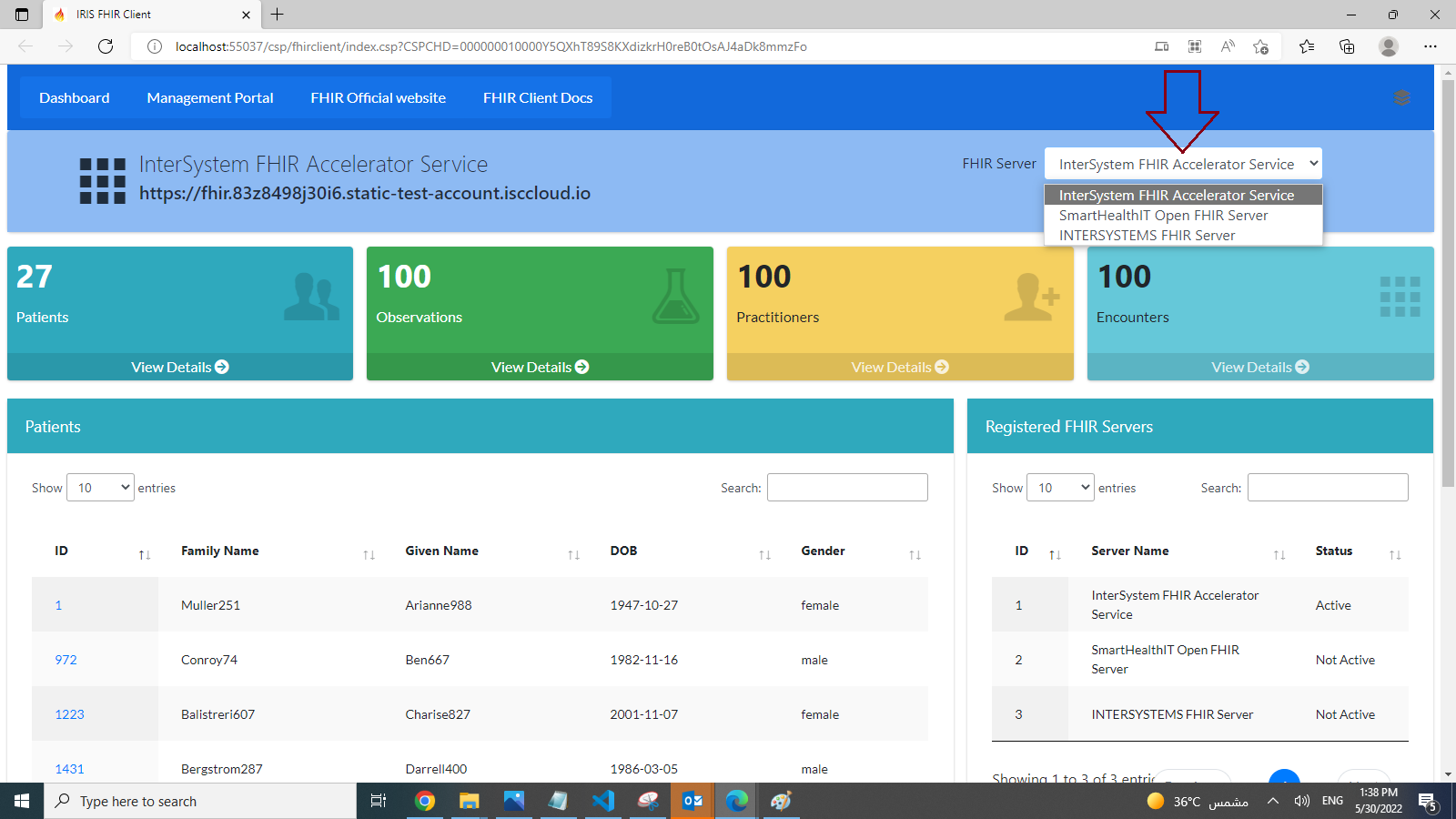
I recommend to read my first article about this app and watch Youtube Video before continue
so let's start
1-Create Patient Resource
below CreatePatient() function of dc.FhirClient can be use to Create Patient Resource
ClassMethod CreatePatient(givenName As %String, familyName As %String, birthDate As %String,gender As %String)function requires giveName,failyName,birthDate and gender to create Patient Resource
below command will create Patient
do ##class(dc.FhirClient).CreatePatient("PatientGN","PatientFN","2000-06-01","male")
Below is the python function in irisfhirclient.py file which will create patient
import json
from fhirpy import SyncFHIRClient
from tabulate import tabulate
from fhirpy.base.searchset import Raw
import requests

defCreatePatient(givenName,familyName,birthDate,gender,url,api_key):
    headers = {"Content-Type":contentType,"x-api-key":api_key}
    client = SyncFHIRClient(url = url, extra_headers=headers)

    patient = client.resource("Patient")
    patient['name'] = [
        {
            'given': [givenName],
            'family': familyName,
            'use': 'official'
        }
    ]

    patient['birthDate'] = birthDate
    patient['gender'] = gender
    try:
        patient.save()
    except Exception as e:
        print("Error while creating Patient:" +str(e))
        return
    print("Patient Created Successfully")
2- Create Patient Observation Resource
Let us create Observation against our newly created Patient Resource
below CreateObservatoin() function of dc.FhirClient can be use to Create Patient Observatoins
ClassMethod CreateObservation(patientId As %String, loincCode As %String, ObrCategory As %String, ObrValue As %Integer, ObrUOM As %String, effectiveDate As %String)Parametres
- patientId is the Id of Patient
- LioncCode is Lionc Code, Detail can be found here
- ObrCategory is Observation Category, Detail can be found here
- ObrValue is Observatoin Value
- ObrUOM is Observation Unit
- EffectiveDate
below command will create Patient Vital Sign Observation
do ##class(dc.FhirClient).CreateObservation("8111","8310-5","vital-signs",96.8,"degF","2022-01-22")
Let's List down patient observations
do ##class(dc.FhirClient).GetPatientResources("Observation","8111")
Below is the python function in irisfhirclient.py file which will create patient
import json
from fhirpy import SyncFHIRClient
from tabulate import tabulate
from fhirpy.base.searchset import Raw
import requests

#Function to create Patient ObservationdefCreateObservation(patientId,loincCode,ObrCategory,ObrValue,ObrUOM,effectiveDate,url,api_key):
    headers = {"Content-Type":contentType,"x-api-key":api_key}
    client = SyncFHIRClient(url = url, extra_headers=headers)
    observation = client.resource(
    'Observation',
    status='preliminary',
    category=[{
        'coding': [{
            'system': 'http://hl7.org/fhir/observation-category',
            'code': ObrCategory
        }]
    }],
    code={
        'coding': [{
            'system': 'http://loinc.org',
            'code': loincCode
        }]
    })
    observation['effectiveDateTime'] = effectiveDate

    observation['valueQuantity'] = {
    'system': 'http://unitsofmeasure.org',
    'value': ObrValue,
    'code': ObrUOM
    }

    #find the patient
    patient = client.resources('Patient').search(_id=patientId).first()
    observation['subject'] = patient.to_reference()

    try:
        observation.save()
    except Exception as e:
        print("Error while creating observation :"+ str(e))
        return
    print("Patient Observation Created Successfully")
That's it
If you found this app useful, consider voting for my app.
Thanks