Geocoding with IRIS and Google Maps API
One of the crucial business dimensions is the dimension “Where”. It is necessary to know where a customer was born or where he lives. Where will the order be delivered? Where have there been more sales, and where can we sell more? Where are our stores located? From Where is the customer accessing our e-commerce? These and other principal questions use the “Where” dimension. Today the best service to provide geographic accuracy and quality for these data is Google Maps. Taking advantage of the Python support of the new IRIS (2021.2+), we can use the Geocoder library (https://geocoder.readthedocs.io/) to get all the details of an address from the coordinates (lat/long) or the name of the street or building. With the geocoder, we can also know the address and data origin of a specific IP or the IP of the client who is using your application.
This article details how to do all of those things.
Using Geocoder library
In Github, download the application sample iris-geocoder (https://github.com/yurimarx/iris-geocoder). It shows how to use a geocoder to get all details about addresses, lat/long coordinates and IPs. Follow these steps:
IMPORTANT NOTE:
To use http://localhost:52773/iris-geocoder/forward or http://localhost:52773/iris-geocoder/reverse, you must have a Google account and have an active and configured payment plan. So, you can generate your Google API Key and put it inside a Dockerfile line 31:
ENV GOOGLE_API_KEY=YOUR-API-KEY-HERE
See detailed instructions on: https://developers.google.com/maps/get-started
1. Clone/git pull the repo into any local directory
$ git clone https://github.com/yurimarx/iris-geocoder.git
2. Open a Docker terminal in this directory and run:
$ docker-compose build
3. Run the IRIS container:
$ docker-compose up -d
4. For geocoding any IRIS SQL Table: Go to IRIS Management Portal > System > SQL and use the sample table dc_geocoder.Company to test geocoding functions. Write the following SQL sentence:
SELECT Address,
dc_geocoder.Geocoder_GetInfo('postal',Address) as zipcode
FROM dc_geocoder.Company
WHERE ID = 1
Result
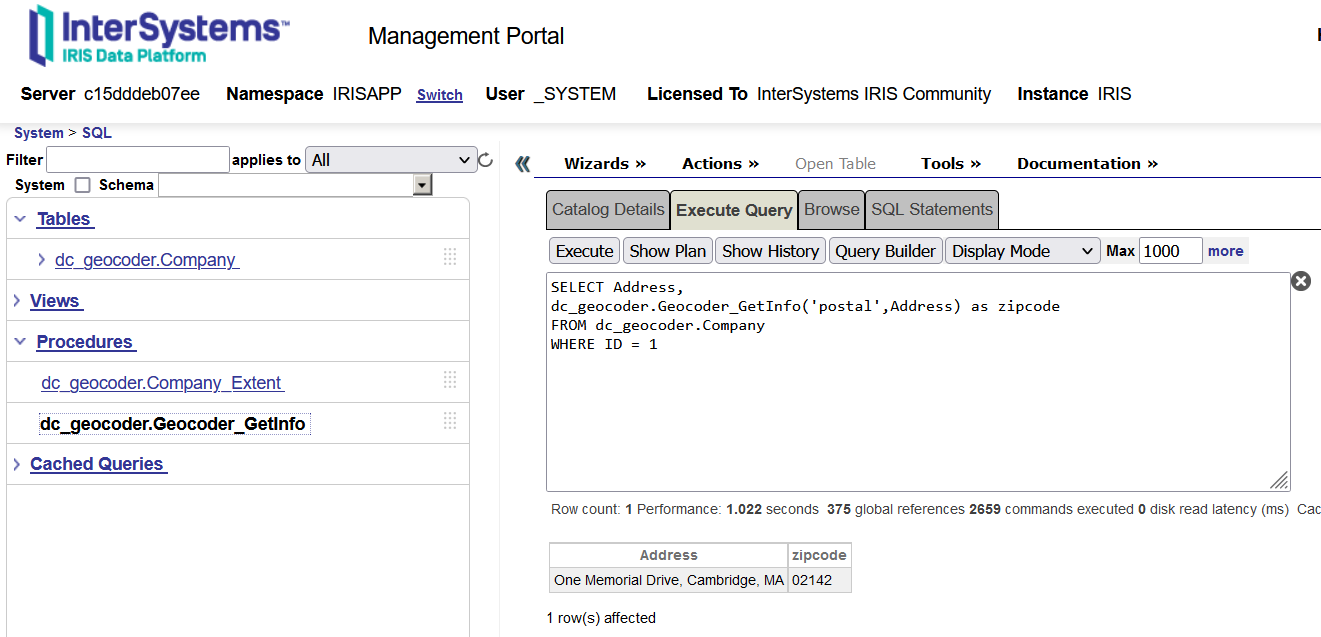
As you can see, this app has an SQL procedure called dc_geocoder.Geocoder_GetInfo. This procedure receives 2 parameters. The first parameter is the geocoding data you want to get (postal for zipcode, lat for latitude, and other values in the next table). The second parameter is a textual Address (street + city + state code, like One Memorial Drive, Cambridge, MA). So the procedure will return zip codes, latitudes, longitudes or these options:
|
|
|
|
|
|
|
|
|
|
|
|
|
|
|
|
|
|
|
|
|
|
|
|
|
|
|
|
|
|
|
|
|
Some information may return blank depending on the accuracy of the address passed to geocoding. It is desirable to fill in at least street + city + state.
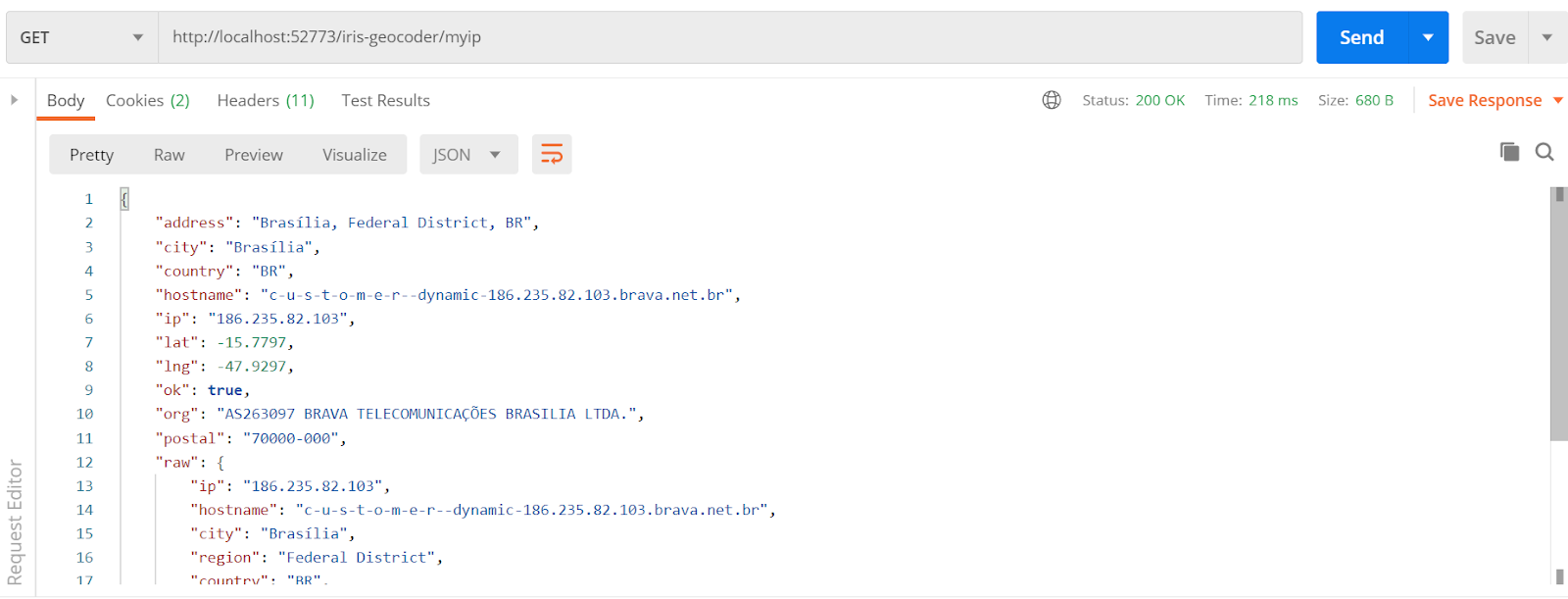
5. For Geocoding your current IP: Go to your Postman (or another similar REST client) and config the request like this, and click send to see the results:
|
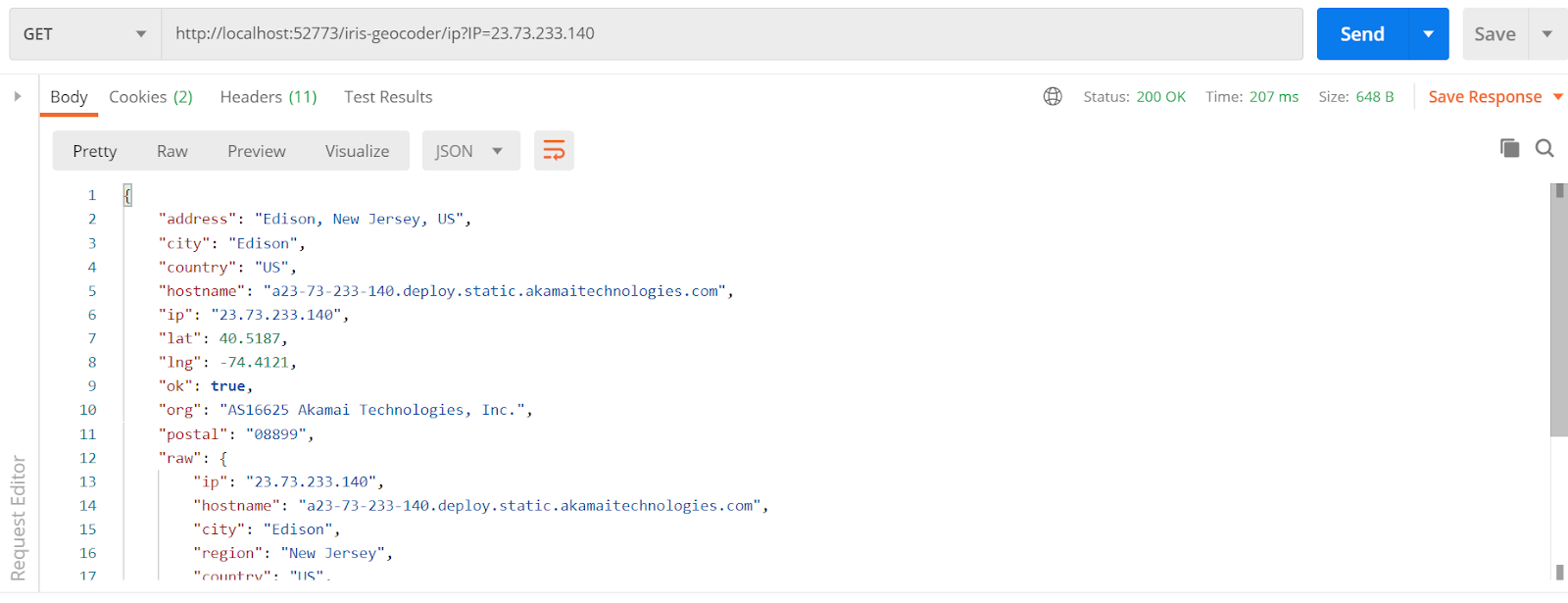
6. For Geocoding a particular IP: Go to your Postman (or another similar REST client) and config the request like this, and click send to see the results:
|
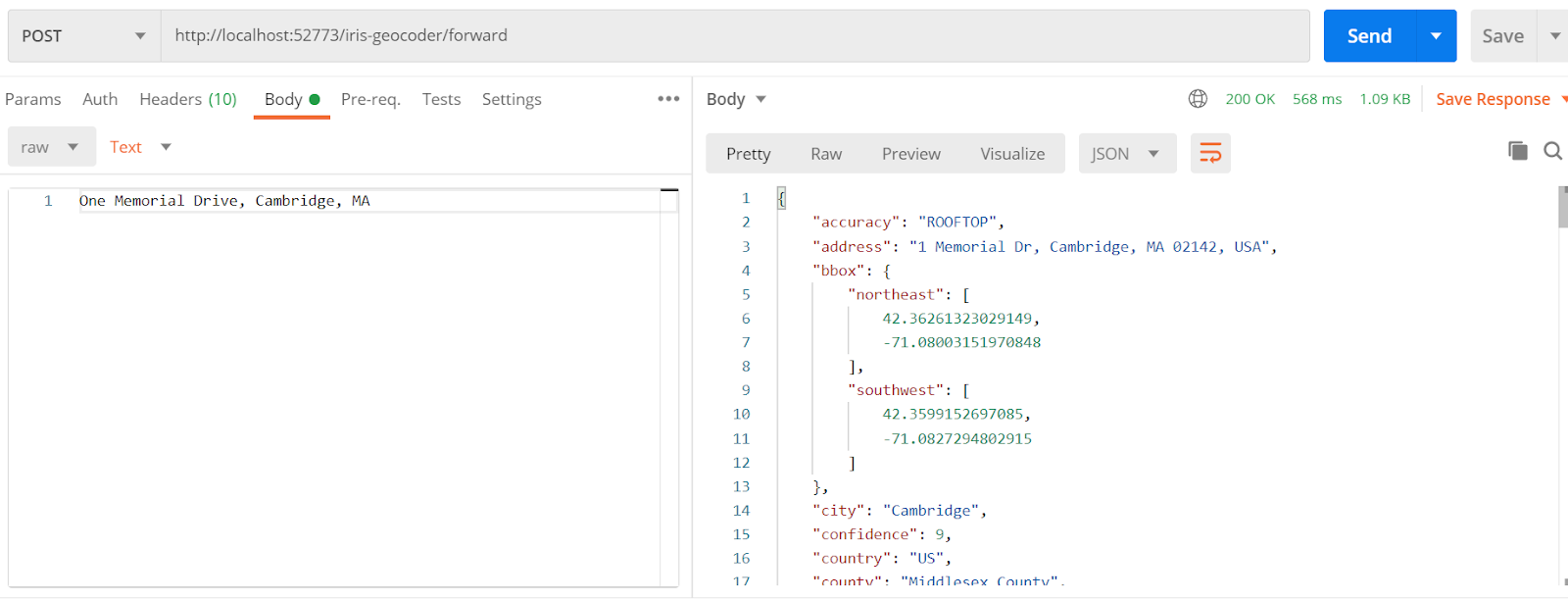
7. For Geocoding an address: Go to your Postman (or another similar REST client) and config the request like this, and click send to see the results:
|
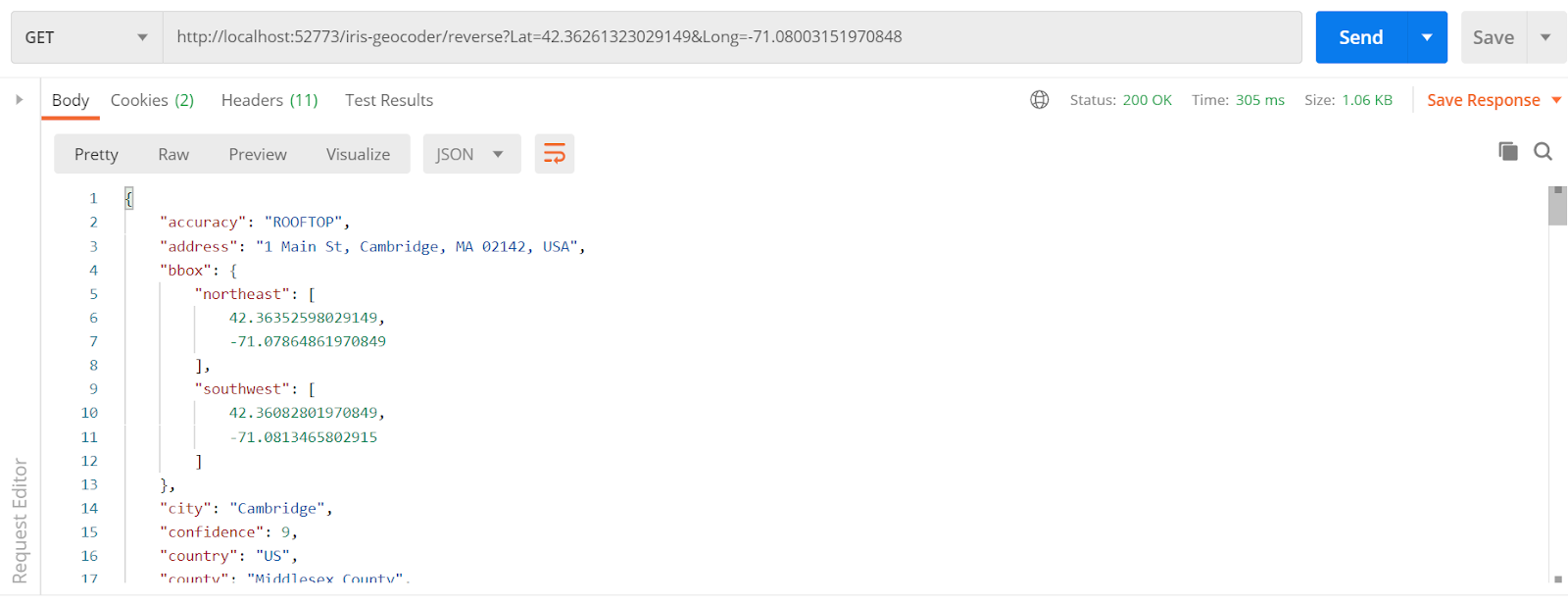
8. For Geocoding a Lat/Long point: Go to your Postman (or another similar REST client) and config the request like this, and click send to see the results:
Behind the scenes - the source code for SQL code
To use geocoding on the SQL sentences, a Geocoder class was created. See it below:
The ClassMethod GetInfo was created with the SqlProc modifier, allowing this method to be used inside SQL sentences as a stored procedure. So the class uses GeocoderService (the detailed description is in the next section). The result contains several geocoding data fields, so the field parameter returns the field which is programmed to be returned by the stored procedure.
In the application, five real addresses were created for testing purposes. These data are stored in the Company table. See it below:
This class loads to you the addresses of five tech companies (Google, InterSystems, IBM, Microsoft and Amazon), with a company Name, Street, City, State and Zip Code (empty). This class has a calculated field to get a qualified address (street + city + state) to be used in the geocoding testing. Check the table content:

In this sample, zip code was not stored, but our geocoding procedure returned the zip code to you.
Behind the scenes – the source code for REST API
The magic occurs inside src/dc/geocoder/GeocoderService.cls. Take a look at it:
1. Get geocoding data from a simple address:
It is very simple. You need to import a geocoder and go to a geocoder.google() call to get a JSON with all the geocoding information you need. As you can see, you need to have a GOOGLE_API_KEY. Find more details on https://developers.google.com/maps/get-started.
2. Get geocoding data from lat/long coordinates:
In this scenario we use the same geocoder.google() but setting method=’reverse’, because we are using lat/long to get geocoding and not a textual address.
3. Get geocoding data from an IP address:
To get geocoding data about an IP, you do not need Google Maps API. You should call geocoder.ip() for the passing IP to be processed, and you will get all the data you need.
4. Get geocoding data from the user IP:
If you want to get geocoding data about your client's IP, it is very simple to do. Just call geocoder.ip(‘me’).
More About it
Geocoder allows you to use other geocoding providers (Bing, ArcGIS, Baidu, Mapbox and OpenStreetMap). Discover more details on https://geocoder.readthedocs.io/, section Providers.
Comments
Thank you for this interesting and informative post!
Thanks!!
Nice to have. Good job.
Thanks Udo!
thanks for sharing this content
You are welcome!