Walk through of deploying InterSystems API Manager (IAM) on AWS EC2
In this article, I am trying to walk through my deploying step of IAM on my EC2(ubuntu).
What is IAM?
IAM is InterSystems API Manager
you may reference to the link below to get more idea about IAM
https://docs.intersystems.com/components/csp/docbook/Doc.View.cls?KEY=PAGE_apimgr
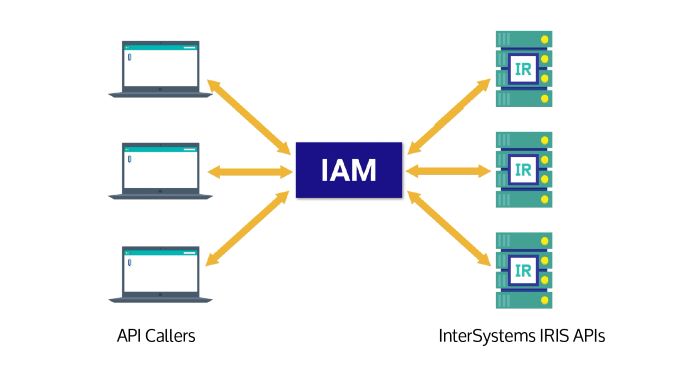
Before deploying IAM
Check the license of your API host
.png)
.png)
Enable the User IAM
.png)
.png)
Deploy IAM
Reference
https://community.intersystems.com/post/introducing-intersystems-api-manager
Download the image from the following link
https://wrc.intersystems.com/wrc/coDistGen.csp
I downloaded the following version to my pc
.png)
Upload the image to my EC2
I use the command scp to upload the image to my cloud
.png)
Make sure docker and docker compose are installed
If not, please reference to the following link
https://docs.docker.com/engine/install/ubuntu/
Untar the image file
tar zpxvf IAM-3.0.2.0-4.tar.gz
.png)
Load the image into docker
sudo docker load -i iam_image.tar
.png)
Run the iam-setup.sh
source ./iam-setup.sh
.png)
.png)
Edit the file : docker-compose.yml
In order to let us visit the IAM UI from the environment outside the EC2, replace the localhost by the EC2 public address in the parameter KONG_PORTAL_GUI_HOST and KONG_ADMIN_GUI_URL
vi docker-compose.yml
.png)
Start the container
sudo docker compose up -d
.png)
Check the IAM UI
You can access the UI of the IAM by the following link
http://yourEC2publicAddress:8002/overview
.png)
Comments
In fact I encountered the error of unable to pass the variable to
"ISC_IRIS_URL", "ISC_IAM_IAMGE","ISC_CA_CERT"
I suspect that the iam-setup.sh now working very well
.png)
As a work around, I hard code the variables in the docker-compose.yml
and run the
sudo docker compose up -d
again
Great article,Kate! Could you also help put this on CN DC? Thx a lot! Michael